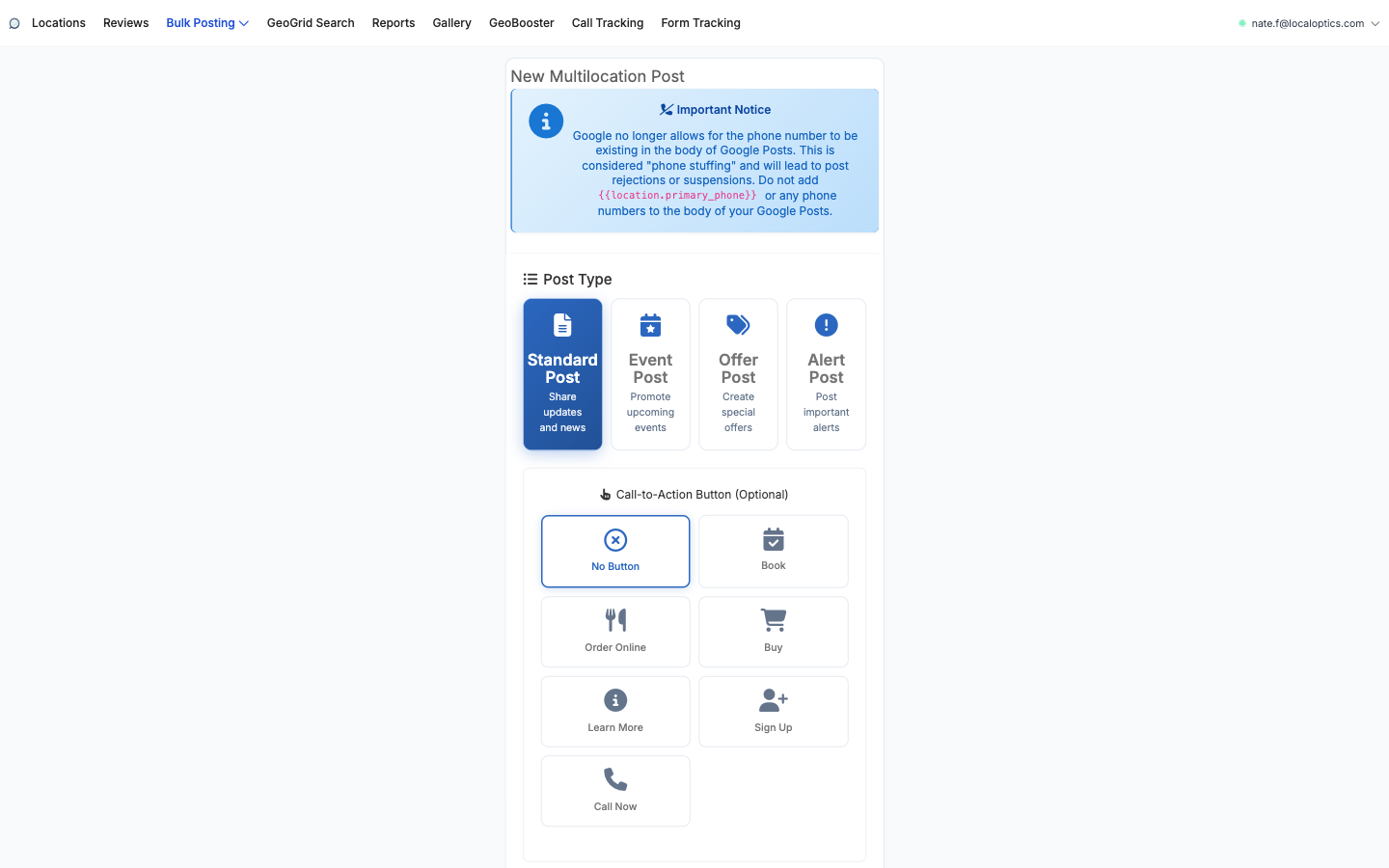
Multilocation Posts (Bulk Posting > Multilocation Post) writes one Google Business Profile post and publishes it to as many locations as you choose - with template variables that make each copy read like it was written for that location.
Step by step
Pick the Post Type: Standard (updates and news), Event, Offer, or Alert. Event and Offer posts add their own fields such as dates and redeem details.
Choose a Call-to-Action button (optional): Book, Order Online, Buy, Learn More, Sign Up or Call Now, plus the button's target URL.
Write the post. The composer supports Spintax ({option a|option b} variations so every location gets slightly different text) and Liquid variables (like the location's name or city) for dynamic per-location content. The Google Business Profile Preview on the right renders the post exactly as it will appear - select a location to see its personalized version.
Add the Post Image.
Choose Target Locations - individual locations, or Tags to cover every location tagged with a label.
Set Schedule & Recurrence: publish now, Schedule Post for Later, or Make This a Recurring Post to repeat it automatically - the set-and-forget way to keep every listing active.
One rule Google enforces hard
Never put a phone number in the body of a Google post - not even via the {{location.primary_phone}} variable. Google treats it as "phone stuffing" and rejects the post or suspends the listing. The form warns you about this, and the Call Now CTA button is the compliant way to get calls.
The composer - post types and CTA options above, content with live preview below: