Bulk Upload (Bulk Posting > CSV Bulk Upload) is the power tool for post creation: build your posts in a spreadsheet - one row per post - and upload them all at once. It's the right choice when a content calendar lives in Sheets or Excel, or when an agency preps a month of posts per client in advance.
How it works
Start from the template: click View Example to download the example CSV showing the expected columns, and View Remote IDs to get the location identifiers your rows will reference.
Fill in one row per post - which location it belongs to (by remote ID), the post text, media and scheduling details, following the example file's format.
Click Browse, choose your CSV, then Upload.
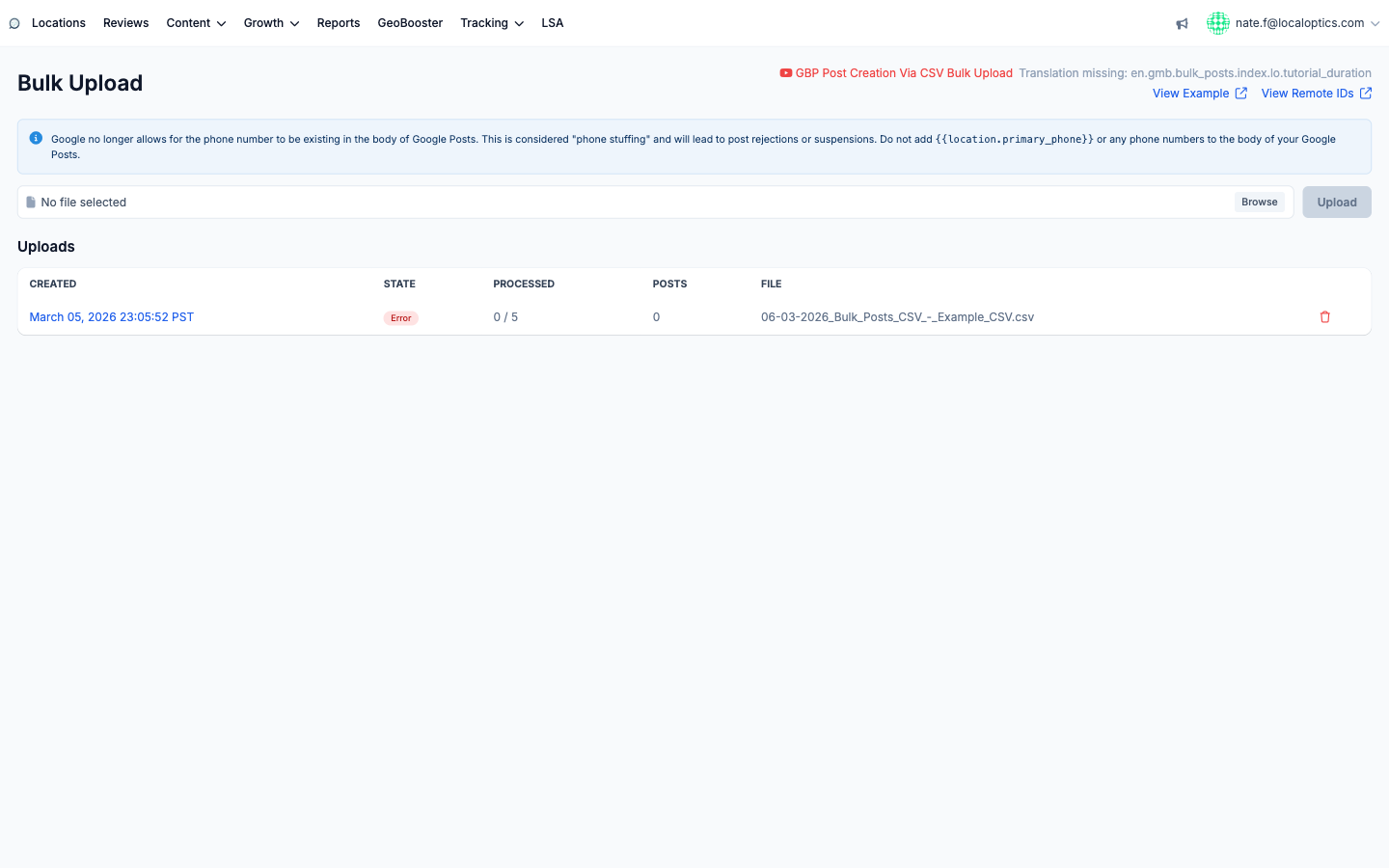
Watch the Uploads table: each batch shows its State, a Processed counter (rows handled vs. total), and the number of Posts created. A red Error state means rows failed - fix the file and upload again.
There's also a video walkthrough linked at the top of the page (GBP Post Creation Via CSV Bulk Upload) if you prefer to see it done.
The phone number rule
The same Google policy that applies everywhere applies double at CSV scale: no phone numbers in post bodies (no {{location.primary_phone}} either). Google flags it as phone stuffing and rejects posts or suspends listings - a mistake in a CSV template gets multiplied across every row, so check the template before uploading.
The Bulk Upload page - template links top right, upload control, and the batch history with per-row processing status:
Column reference
Columns are read by position, so keep them in the template's order. Left to right:
1. Location ID (required) - the location remote ID, digits only. Use View Remote IDs to find these.
2. Title - the Event or Offer title (leave blank for Standard and Alert).
3. Post summary (required) - the post body text.
4. Topic type - standard, event, offer, or alert (defaults to standard).
5. Language code - for example en.
6. Start date - Event/Offer, in DD-MM-YY format.
7. End date - Event/Offer, in DD-MM-YY format.
8. Start time - Event/Offer, in HH:MM:SS or HH:MM or HH format.
9. End time - Event/Offer, in HH:MM:SS or HH:MM or HH format.
10. Coupon code - Offer only.
11. Redemption URL - Offer only.
12. Terms and conditions - Offer only.
13. CTA type - the call-to-action button type (book, order, shop, learn_more, sign_up, call).
14. CTA link - the button URL.
15. Image - a direct link to an image you will use in a post.
16. Scheduled time - when to publish.
17. Recurrent interval (days) - for recurring posts.
18. Recurrent expiration count - how many times a recurring post repeats.
Dates use DD-MM-YY. An Event or Offer needs both a start and end date, or Google rejects it.