The Keywords page tracks where this location ranks in Google for the search terms that matter to the business. Rankings are checked from the location's own area, so they reflect what nearby customers actually see.
Reading the page
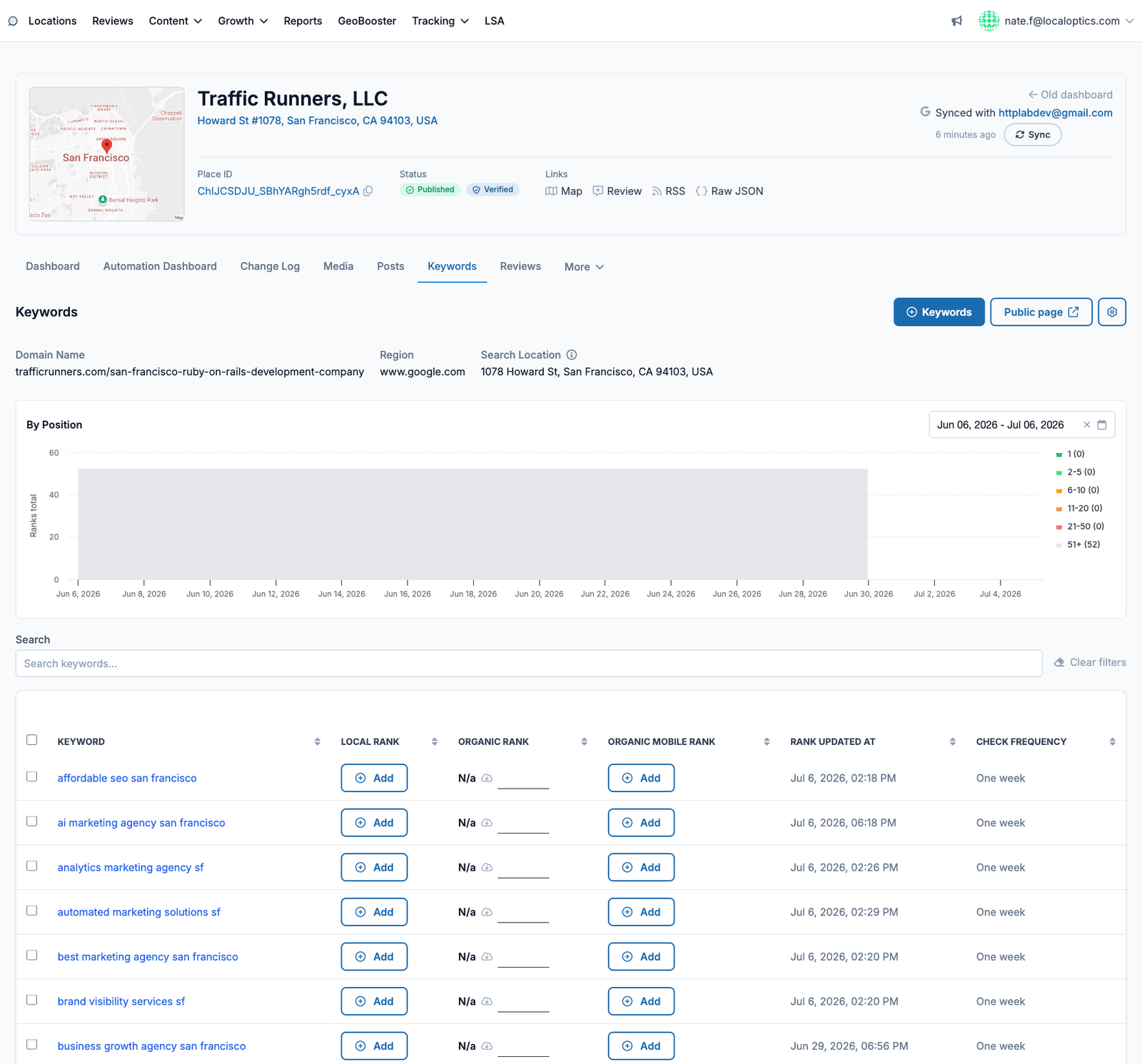
The header shows the tracked domain, the Google region, and the search location the checks run from. The By Position chart plots your ranking history so you can see movement over time - each colored band is a position range (top 3, 4-10, and so on).
The keyword table
Every tracked keyword shows its Local Rank (the map pack), Organic Rank, and Organic Mobile Rank, plus when it was last checked and how often it updates. From here you can:
Add keywords - one at a time or in bulk, each with its own check frequency.
Share the Public page - a read-only ranking report you can send to clients or stakeholders without giving them a login.
Here it is for our example location, Traffic Runners:
Check frequency and credits
Each keyword is checked on a schedule you set, from as often as every 48 hours up to once a month. Every check consumes keyword credits: one credit per rank type (Local, Organic desktop, Organic mobile), per check. See Understanding Credits for the full breakdown.