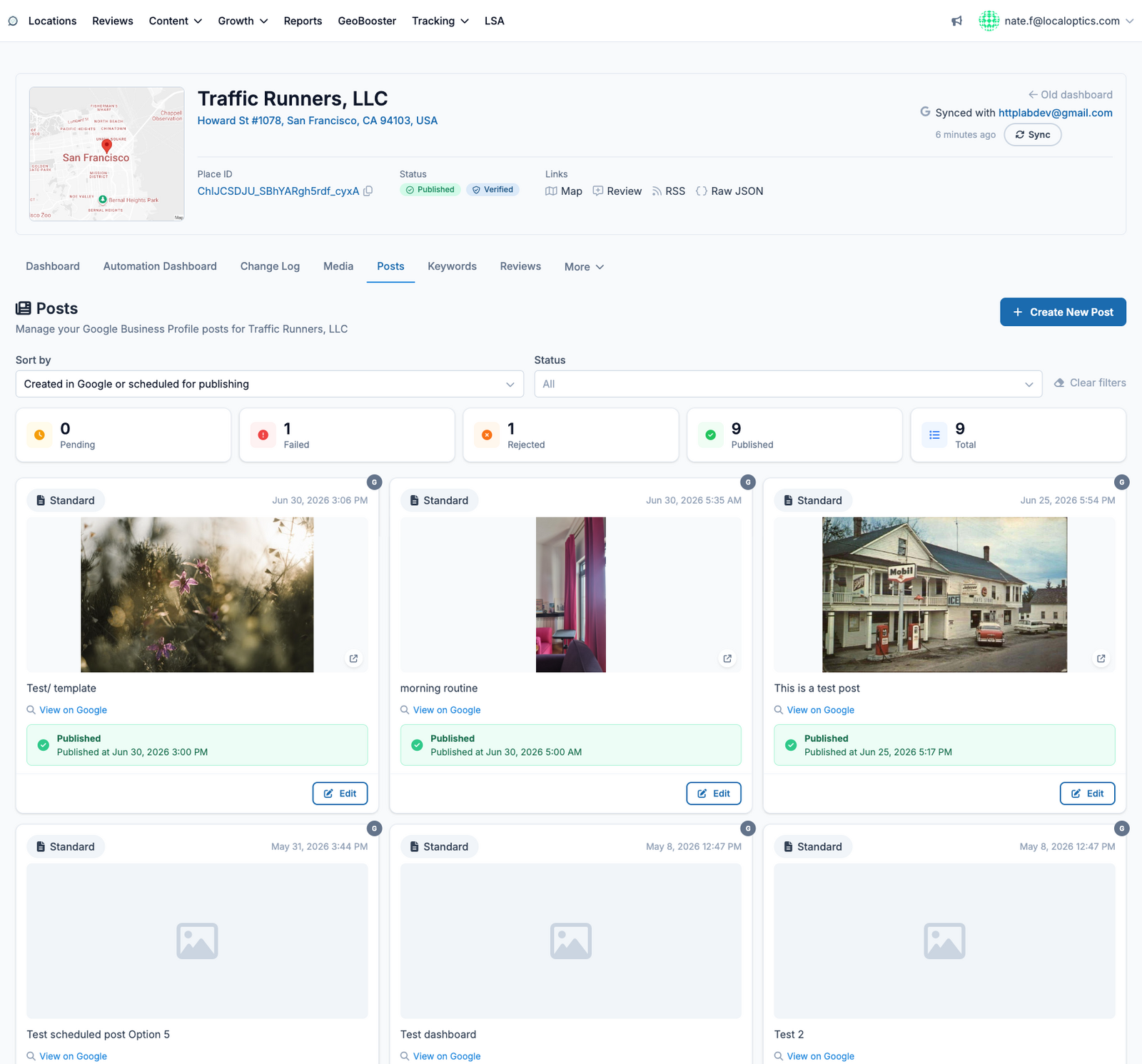
The Posts page manages the Google Business Profile posts for this location - the updates, offers and event announcements that appear directly on your listing in Google Search and Maps.
What you'll see
The status counters across the top tell the story at a glance: Pending (scheduled and waiting), Failed, Rejected (blocked by Google's content rules), Published, and Total. Below them, every post appears as a card with its image, text, publish state and date.
Common actions
Create New Post - write a post, attach media, add a call-to-action button, and publish now or schedule it for later.
Sort and filter - by creation or scheduled date, and by status, to find exactly the post you need.
View on Google - jump to the live post on your public listing.
Edit - update scheduled or published posts, or retry ones that failed.
Posting consistently keeps your listing active in Google's eyes - many teams schedule posts weeks ahead from here or via bulk posting under the Content menu.
Here it is for our example location, Traffic Runners: