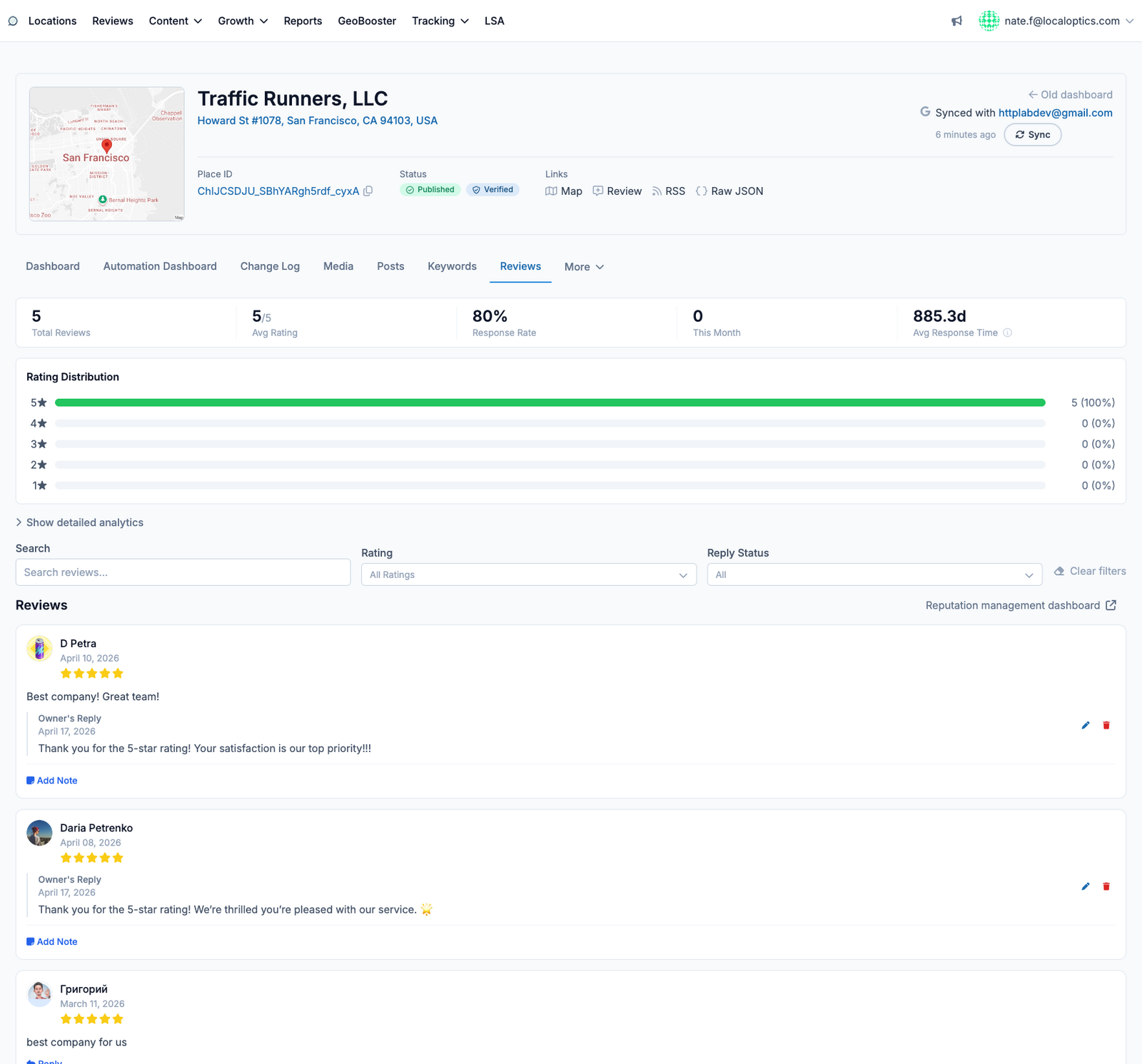
The Reviews page is the location's reputation console: every Google review in one stream, with the numbers that show how well you're keeping up.
The metrics bar
Across the top: Total Reviews, Average Rating, Response Rate, reviews received This Month, and your Average Response Time. Below it, the rating distribution shows how your stars break down from five to one - click Show detailed analytics for deeper trends.
Working the review stream
Each review card shows the reviewer, rating, text and date, along with the owner's reply if one exists. From here you can:
Reply directly - responses publish to Google from the app.
Edit or remove existing replies.
Add an internal note to a review for your team (never visible publicly).
Search and filter - by text, star rating, or reply status (replied / needs reply).
The Reputation management dashboard link at the top right takes you to the org-wide review view across all locations.
Here it is for our example location, Traffic Runners: