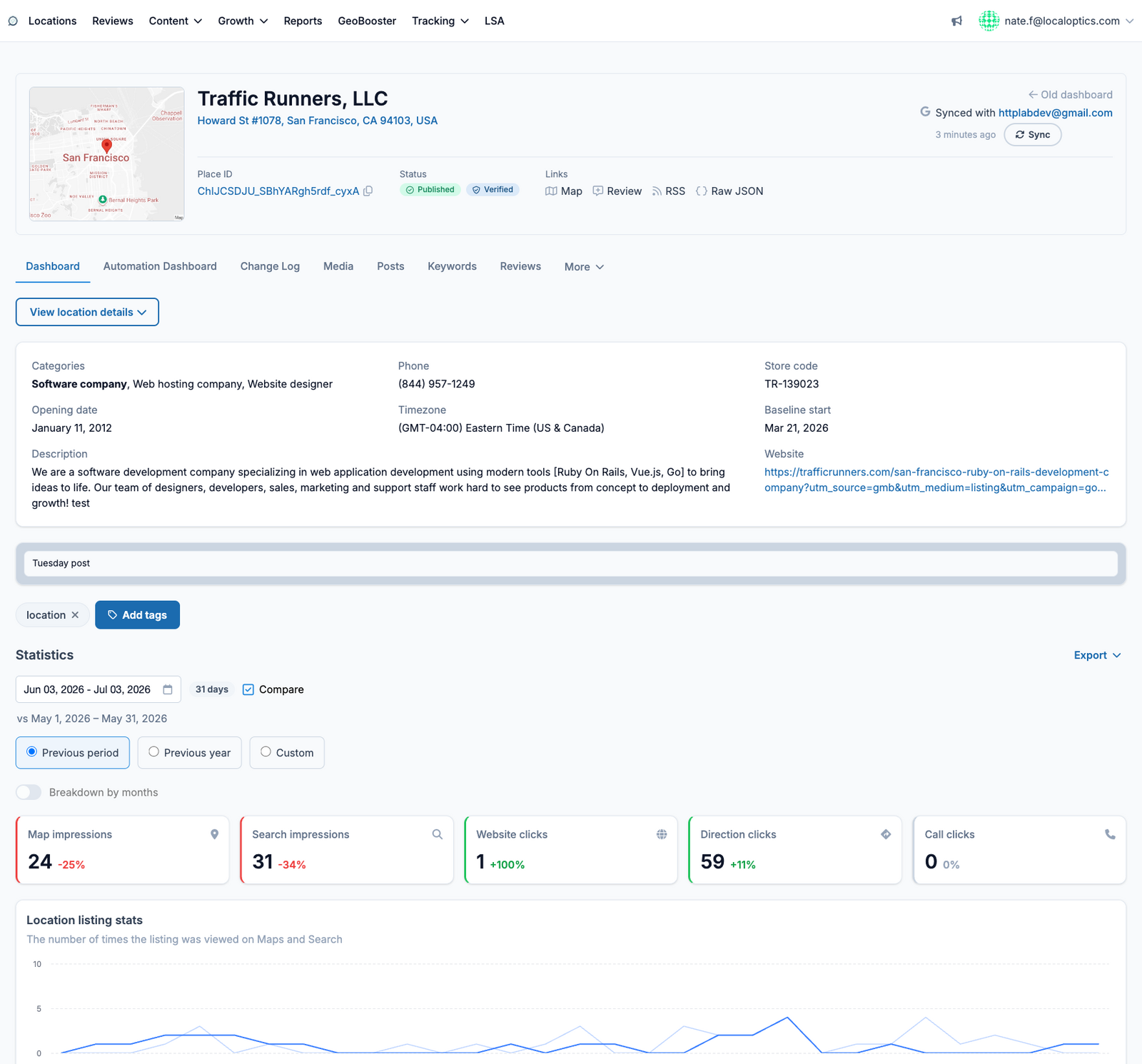
The Dashboard is the first page you see when you open a location. It brings together everything LocalOptics knows about the listing so you can judge its health in seconds.
The location header
Every location page starts with the same header card: the business name and address, a mini map, the Google Place ID, live status badges (Published, Verified), and quick links to the listing on Google Maps, the public review link, the RSS feed, and the raw listing data. The Sync button on the right pulls the latest data from Google on demand, and shows which Google account the location is connected through.
What's on the Dashboard
Listing stats - views, searches and actions from your Google Business Profile for the selected date range (use the date picker to change the window, or Compare to see period-over-period changes).
Keyword insights - a month-by-month table of the search keywords that surfaced your listing, with trend arrows against the previous period.
Competitor analysis - nearby competitors side by side: rating, review count, media and post activity, and Share of Local Voice (SoLV).
Geogrids - your latest grid scans showing where in the map area you rank for tracked terms.
Recent posts and reviews - the newest activity with jump links to the full Posts and Reviews pages.
Use Export to download the dashboard data, and Add tags or a note to keep team context on the location itself.
Here it is for our example location, Traffic Runners: