Where API Keys let you pull data on your schedule, Webhooks (in your account settings) push it to you the moment something happens - a JSON payload to any URL you choose, per event.
Setting up a webhook
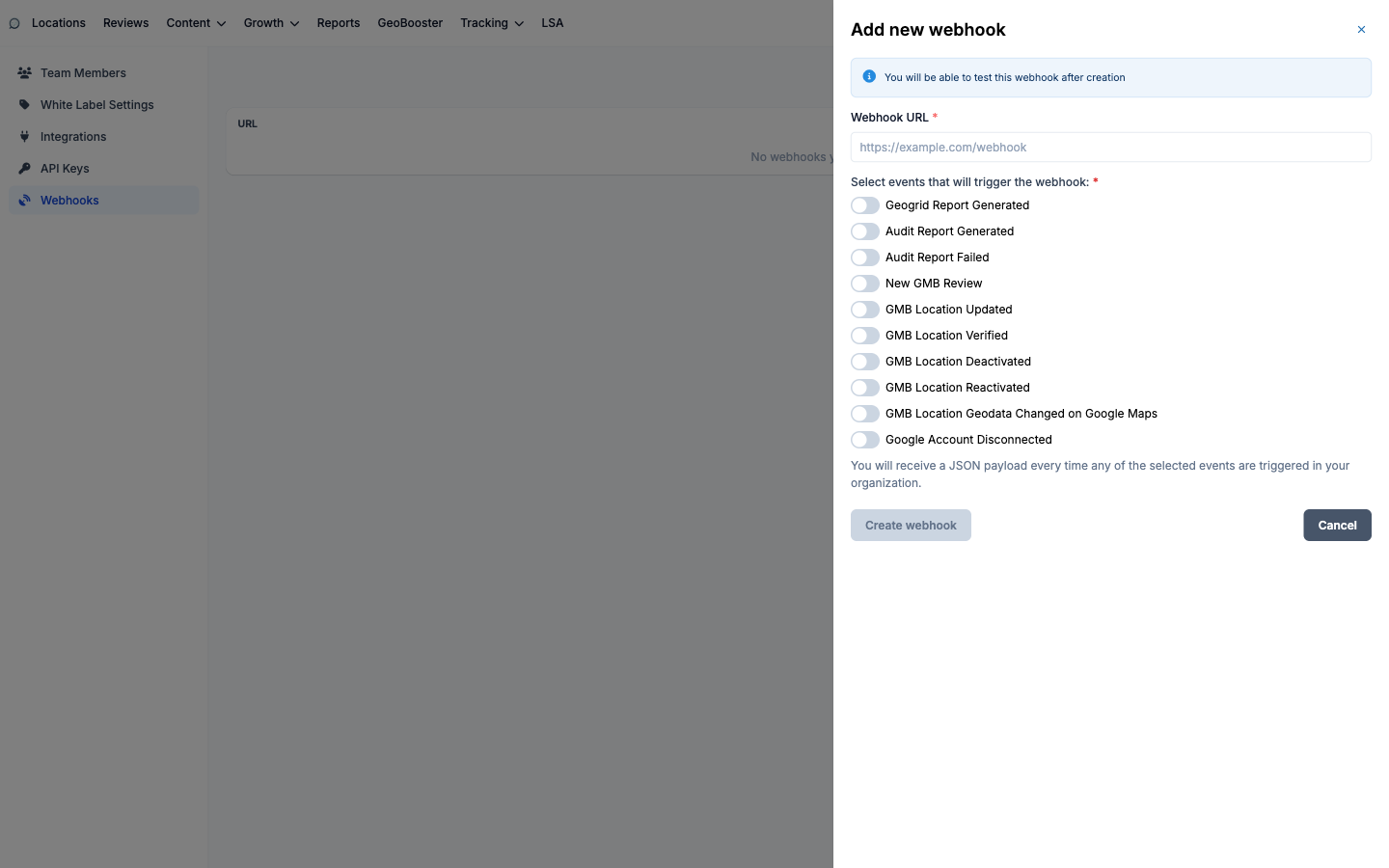
Click Add new webhook, enter the Webhook URL your system listens on, and toggle the events that should trigger it:
Geogrid Report Generated - a live or scheduled geogrid finished.
Audit Report Generated / Audit Report Failed - audit lifecycle events.
New GMB Review - a review just landed (the classic use case: pipe it to Slack or your CRM).
GMB Location Updated / Verified / Deactivated / Reactivated - listing state changes.
GMB Location Geodata Changed on Google Maps - Google moved or re-mapped your listing.
Google Account Disconnected - an OAuth connection broke and syncing stopped; the one you always want wired to an alert.
One webhook can subscribe to any mix of events, and you can register multiple webhooks pointing at different URLs.
Testing
After saving, each selected event gets a Test button that sends a realistic sample payload built from your organization's own data - so you can verify your endpoint parses production-shaped JSON before the real events start flowing.
The event picker: