A Report is a point-in-time performance summary for one or more locations - the document you send a client or review in a meeting. Reports are generated by Report Configurations (on a schedule or on demand) and collect everything that matters about a Google Business Profile into one page.
What's inside a report
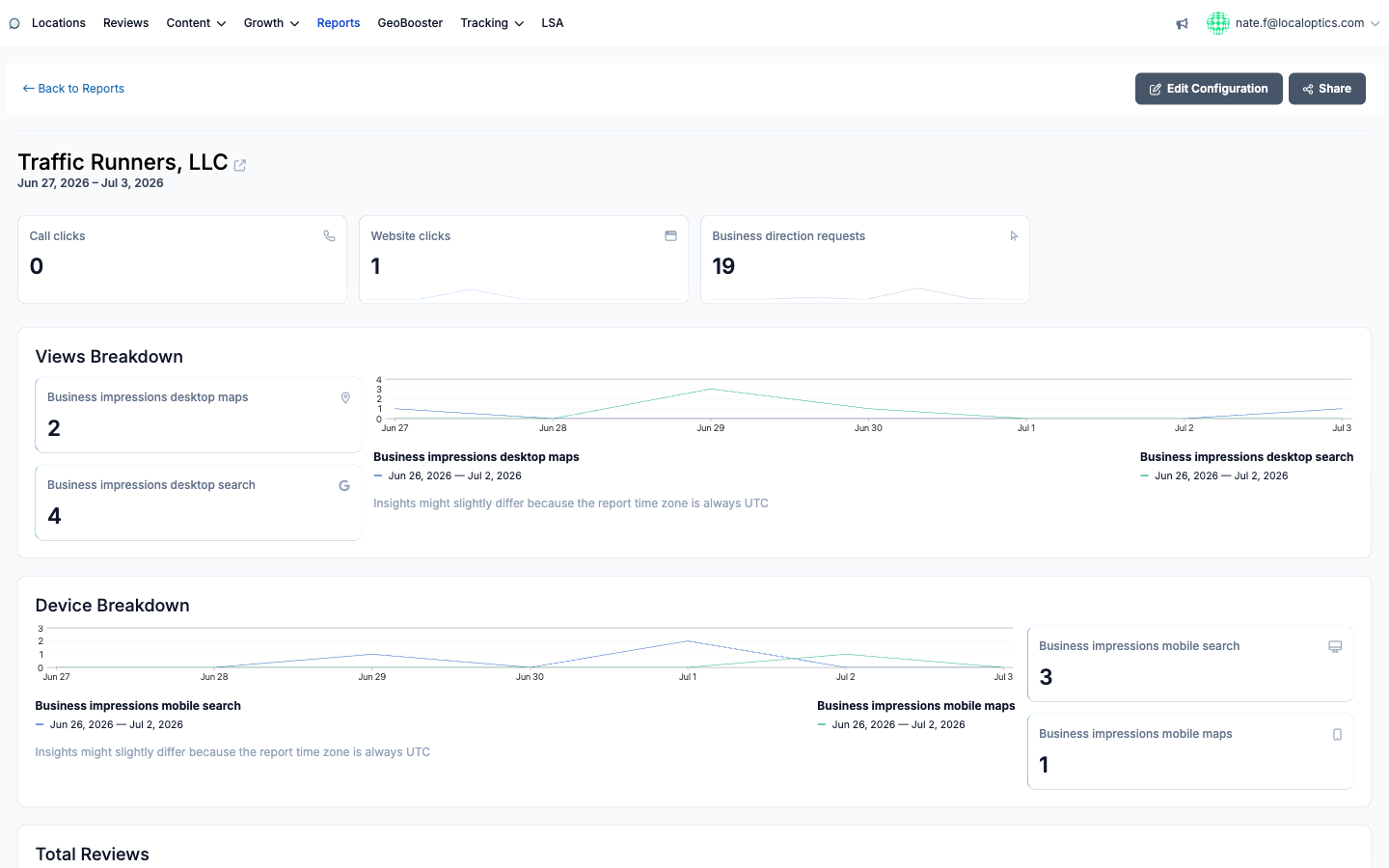
Headline actions - Call clicks, Website clicks and Business direction requests for the period.
Views Breakdown - business impressions from desktop Maps and desktop Search, with daily charts.
Device Breakdown - the same impressions split across mobile Search and mobile Maps.
Content activity - Total Reviews, Local Posts, Images Count, Questions and Answered Questions.
Search Keywords - the terms that surfaced the listing.
Maps Search Geogrids and Keywords Ranks - map-grid results and tracked keyword positions for the period, when geogrid data is available.
When the configuration uses a comparison, every metric shows the current period against the comparison period so improvements (or slips) are obvious at a glance. Report times are always in UTC, which is why insight numbers can differ slightly from what Google's own dashboard shows.
Working with reports
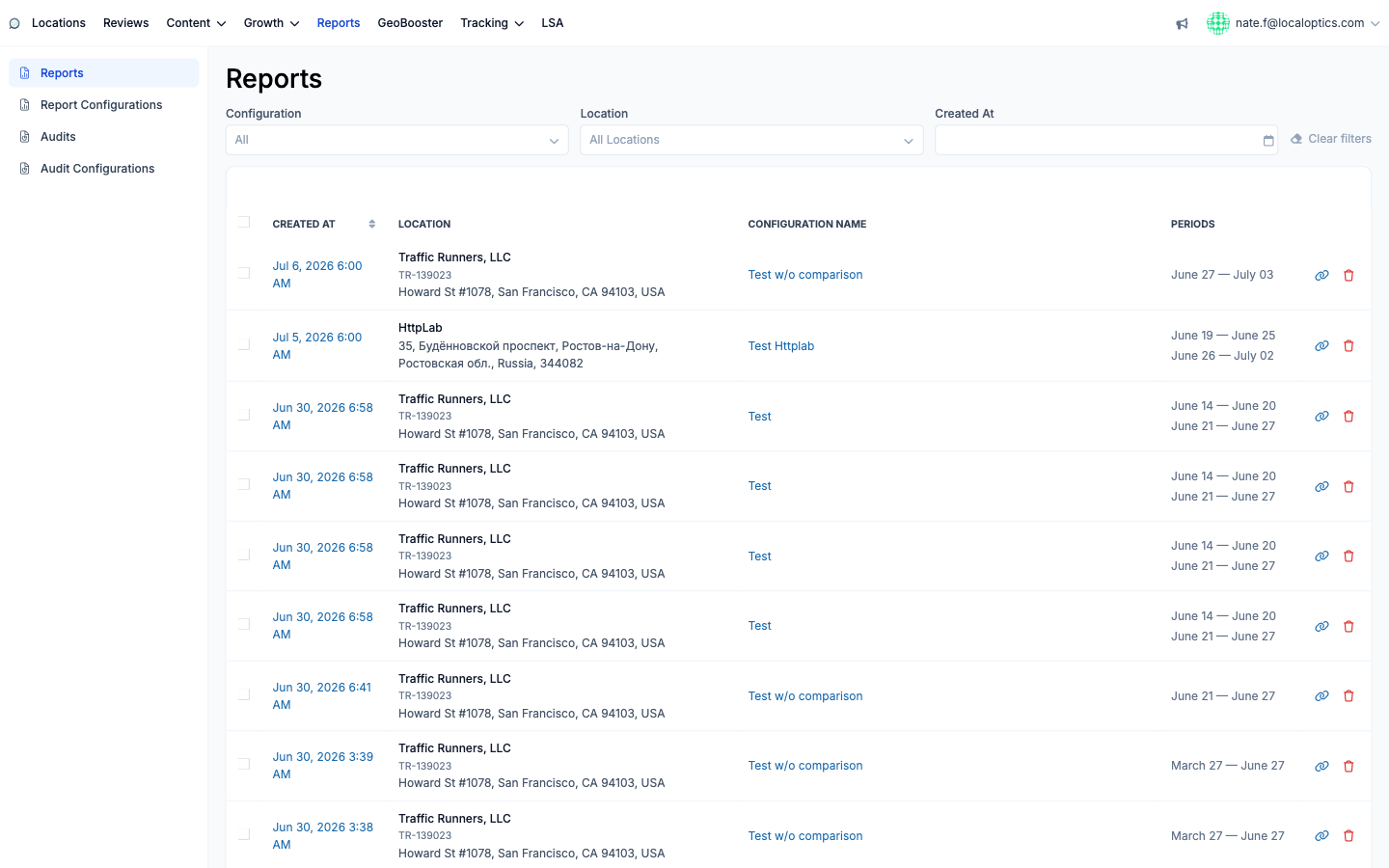
The Reports index (Reports in the main navigation) lists every generated report with its configuration name, location(s) and the period(s) covered - filter by configuration, location or creation date. Open any report to view it, then:
Share - grab the public link; it opens without a login and carries your white-label branding, so it's safe to send straight to clients.
Edit Configuration - jump to the configuration that produced the report to adjust future runs.
Notify - email the report to the customer recipients or your own team members defined in the configuration.
Delete - remove a report you no longer need (the link icon and trash sit on each index row too).
A finished report for our example location:
And the Reports index with its filters: