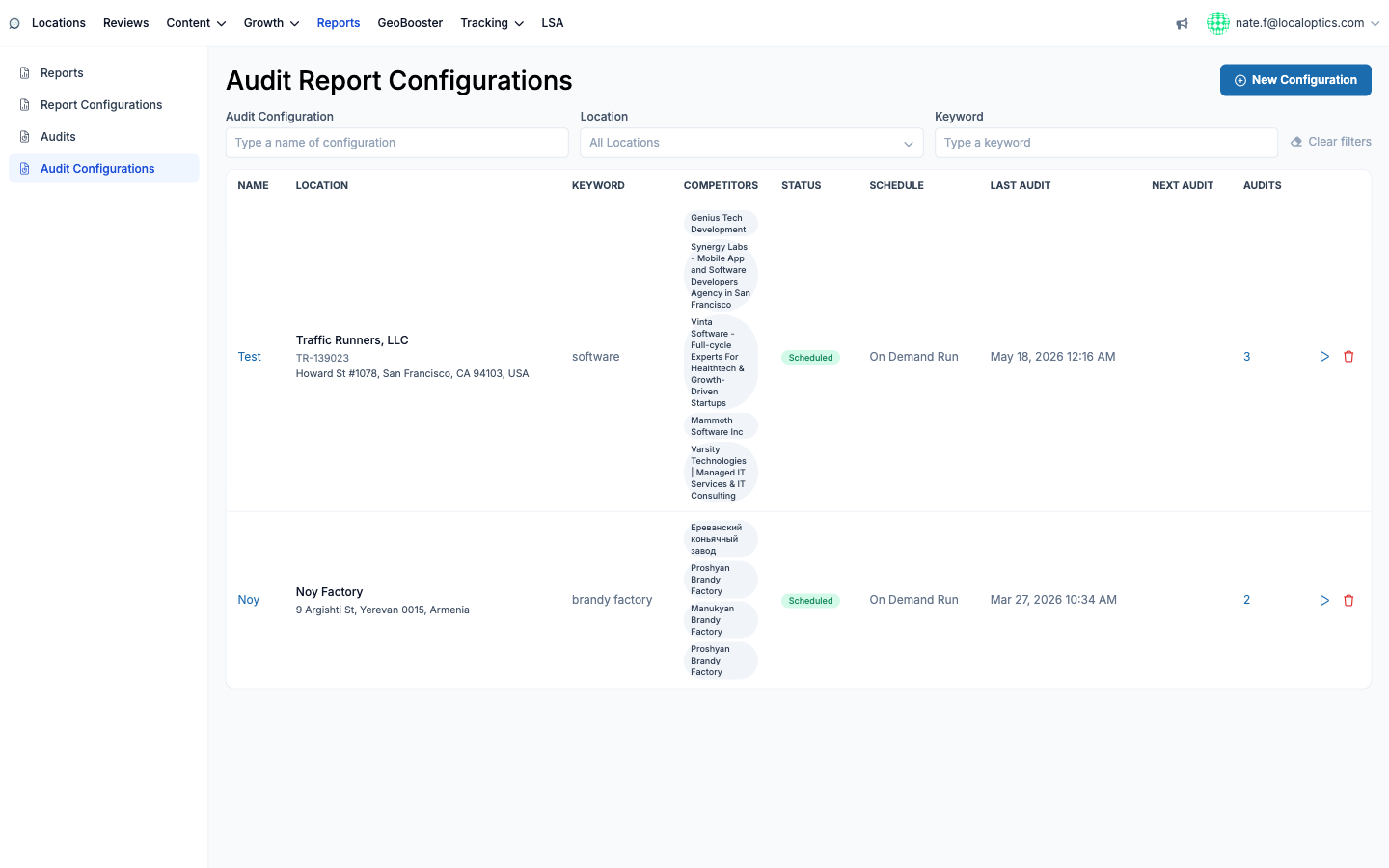
Audit Configurations (Reports > Audit Configurations) define the recurring competitive audits for a location: which keyword to compete on, how competitors are discovered, who you're tracking, and how often the audit re-runs.
Setting one up
Data - name the configuration (optional), choose the Location (it needs coordinates and a Place ID - the picker warns you if they're missing), enter the Keyword competitors will be discovered for (one focused keyword gives the cleanest results), pick the Schedule (Weekly, Monthly, Day of the Month, Quarterly options, or On Demand Run) and optionally a White Label configuration for the public link.
Advanced settings - tune the discovery geogrid: Unit (meters or miles), Geogrid Size, and Step (the distance between grid points). A tighter, smaller grid finds hyper-local competitors; a wide one captures the broader market.
Competitors - LocalOptics runs the geogrid and finds the businesses actually ranking for your keyword in the area (this can take half a minute). Pick up to 5 to track, then click Finish.
The configuration lands in Scheduled status and generates audits on cadence - or immediately via the Run Audit button.
Statuses and upkeep
A configuration moves through Initialized, then Searching competitors, Choosing competitors (waiting for your picks), Scheduled (active), and can be set to Disabled to pause without deleting. One rule to remember: if you later edit the location, keyword or grid settings, re-choose your competitors - the old picks may no longer reflect who actually ranks under the new parameters (the form reminds you).
The index shows each configuration's location, keyword, chosen competitor badges, status, schedule, last and next audit dates, and a count linking to all audits it has produced: