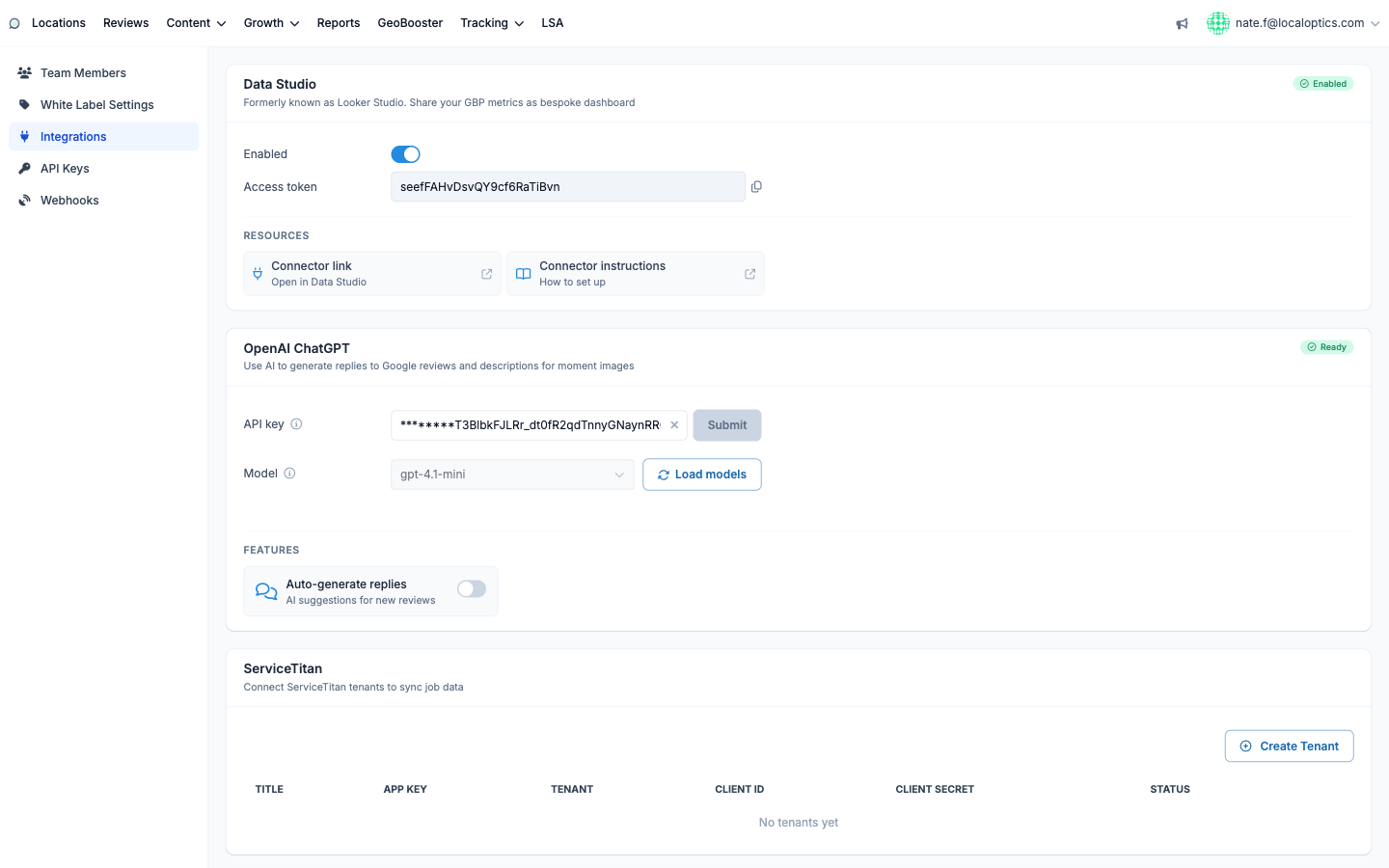
The OpenAI ChatGPT integration (Integrations page, in your account settings) plugs your own OpenAI API key into LocalOptics to power AI features: reply suggestions for Google reviews and automatic descriptions for GeoBooster moment images. Because it's your key, you control the spend and the model.
Connecting
Create an API key at platform.openai.com and paste it into the API key field, then click Submit. The key is stored partially hidden for security.
Pick a Model - Load models fetches what your key can access, and the recommended picks are highlighted: gpt-4.1-mini (best quality/cost balance) and gpt-4o-mini (cost-effective alternative). Full-size flagship models are deliberately excluded - they cost more without better results for these tasks.
Watch the status badge: Ready means you're set. Not configured, Invalid key or Key disabled tell you exactly what to fix, and Limited model warns when the selected model lacks vision support (needed for image descriptions).
What it powers
Review replies - AI-drafted responses for incoming Google reviews. Turn on Auto-generate replies and every new review arrives with a suggested reply waiting for your approval.
Moment image descriptions - GeoBooster check-in photos get AI-written, locally-relevant descriptions (requires a vision-capable model).
If OpenAI rejects the key repeatedly - usually a billing issue - LocalOptics disables it and shows when and why, with an Enable button to reactivate after you've fixed it.
The integration card: