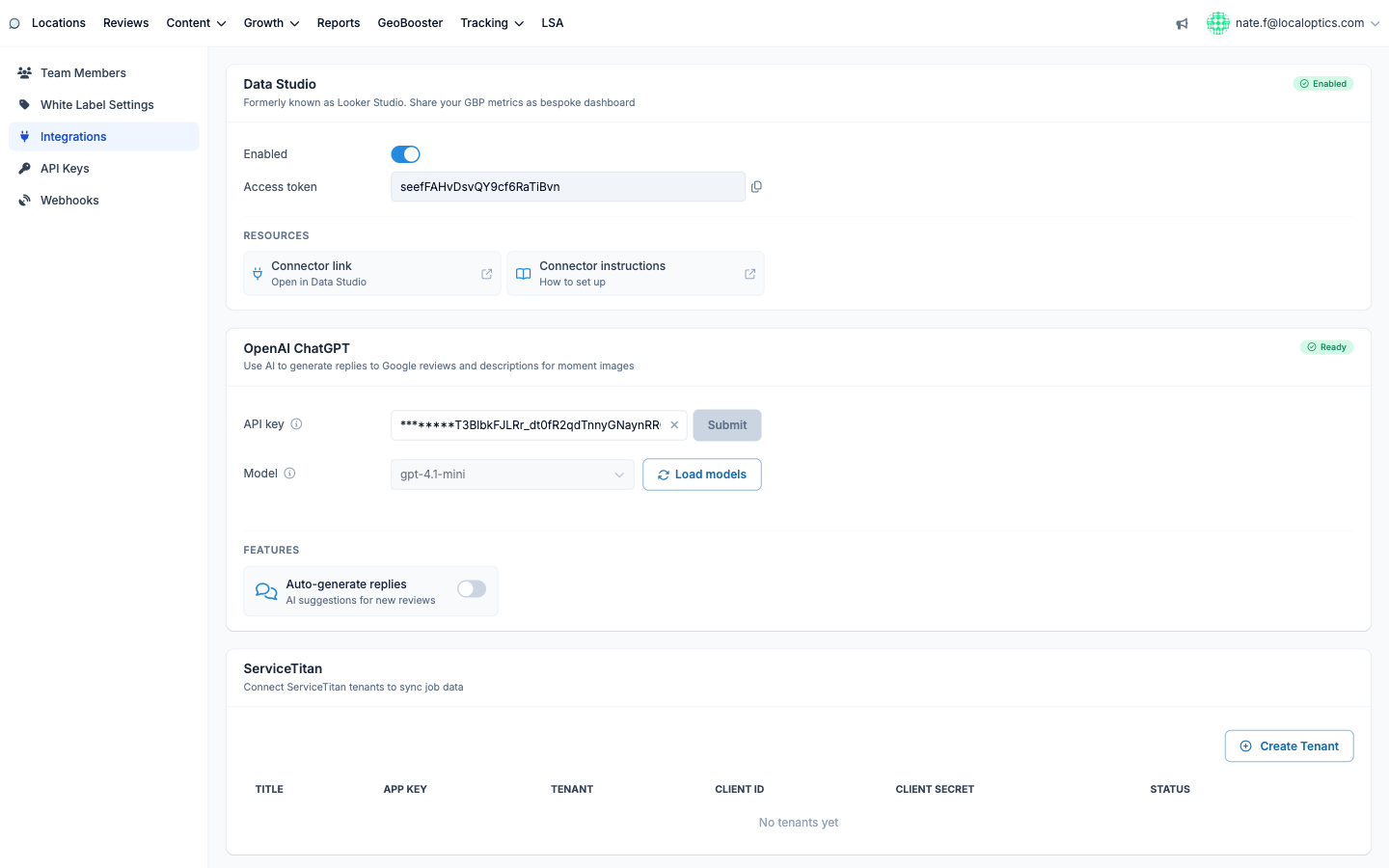
The Data Studio integration (Integrations page, in your account settings) connects LocalOptics to Google's Looker Studio - formerly Data Studio - so you can design fully custom dashboards from your GBP data and blend it with anything else you report on.
What you can pull
The connector exposes your geogrids (live and scheduled, including run comparisons), report insights (search, review and business insights) and search impressions data - enough to rebuild any LocalOptics chart inside Looker Studio, on your own layout, with your own branding.
Connecting
On the Integrations page, flip the Data Studio toggle to Enabled.
Copy the Access token that appears (the copy button grabs it in one click).
Click Connector link to open the LocalOptics community connector directly in Data Studio, and paste the token when it asks for credentials.
Follow Connector instructions if you want the step-by-step with screenshots - it's linked right next to the connector.
Once connected, your LocalOptics data appears as a data source you can drop into any Looker Studio report - and because the connector reads live data, dashboards stay current without re-exporting anything.
The integration card with its token and resource links: