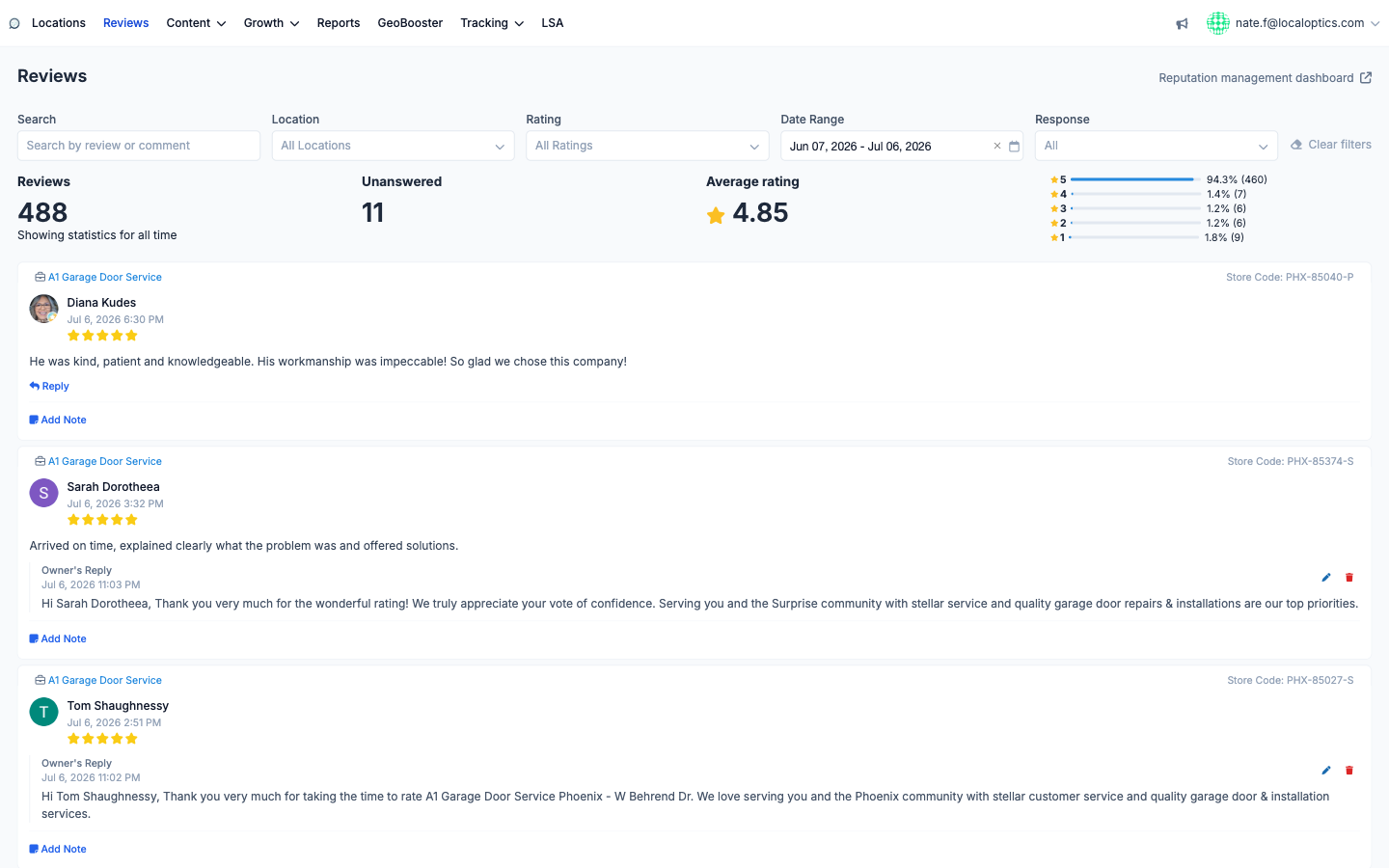
The Reviews page (the Reviews item in the main navigation) is your account-wide review inbox: every Google review from every location you manage, in one stream, newest first. Where each location's Reviews tab is for deep-diving one listing, this page is where a team actually works reviews day to day.
The stats bar
The numbers at the top cover everything the current filters include:
Reviews - the total count for the selected range (last month by default).
Unanswered - how many reviews still have no owner reply. This is the number to keep at zero.
Average rating - across all included reviews.
Rating distribution - the five-star breakdown with percentages and counts, so one bad week can't hide inside an average.
Filters
Slice the stream any way you need: full-text Search across review and reply text, Location (any subset of your locations), Rating (star levels), Date Range, and Response status. The Response filter is the workhorse - set it to unanswered and the page becomes a to-do list of reviews waiting for a reply.
Working a review
Every card shows which location the review belongs to (with its store code), the reviewer, stars, text and date. From right here you can:
Reply - publish an owner response to Google without leaving the page.
Edit or delete an existing owner reply (the pencil and trash icons).
Add Note - attach an internal note visible only to your team, useful for handoffs ("called customer, waiting to hear back").
Reputation management dashboard
The link in the top-right corner signs you straight into the full reputation-management product - review generation campaigns, request funnels and deeper analytics - via single sign-on, no separate login needed.
Here it is, with 488 reviews across all locations and 11 waiting for a reply: