To be able to connect Local Optics MCP to your Claude and use it in web/app chats do the following:
go to your Claude Settings, click Connectors, then +Add and Add custom connector
-
add name and server url - for Local Optics it's https://app.localoptics.com/mcp, for Local Viking - https://localviking.com/mcp, for LBM - https://app.localbrandmanager.com/mcp
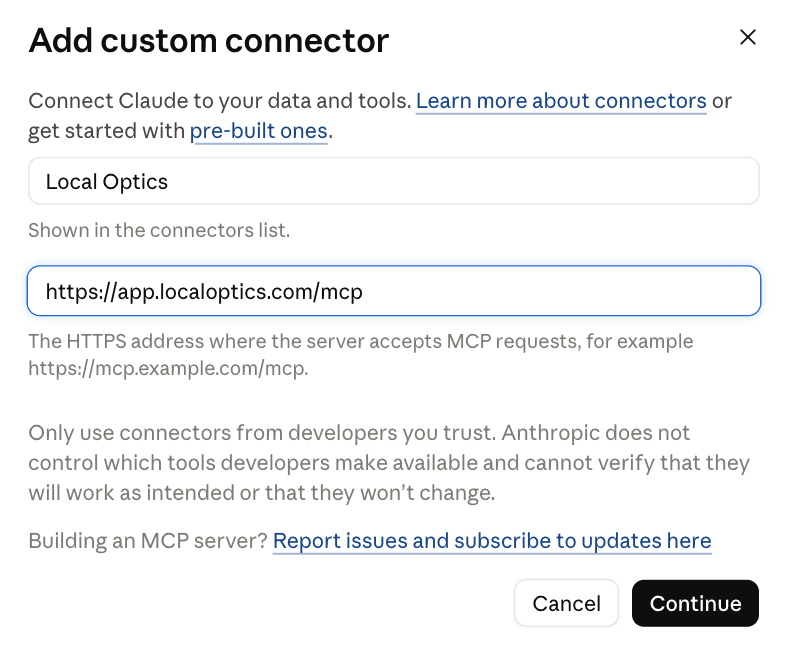
click Next and proceed to the next screen - select No sign-in for Authentication (nevermind the disclaimer - it will go away once you specify the token)
-
in Request headers select authorization for Header name, the Value is your mcp token added on https://app.localoptics.com/mcp_tokens - it should look like "Bearer xxxxxxxxxxx"
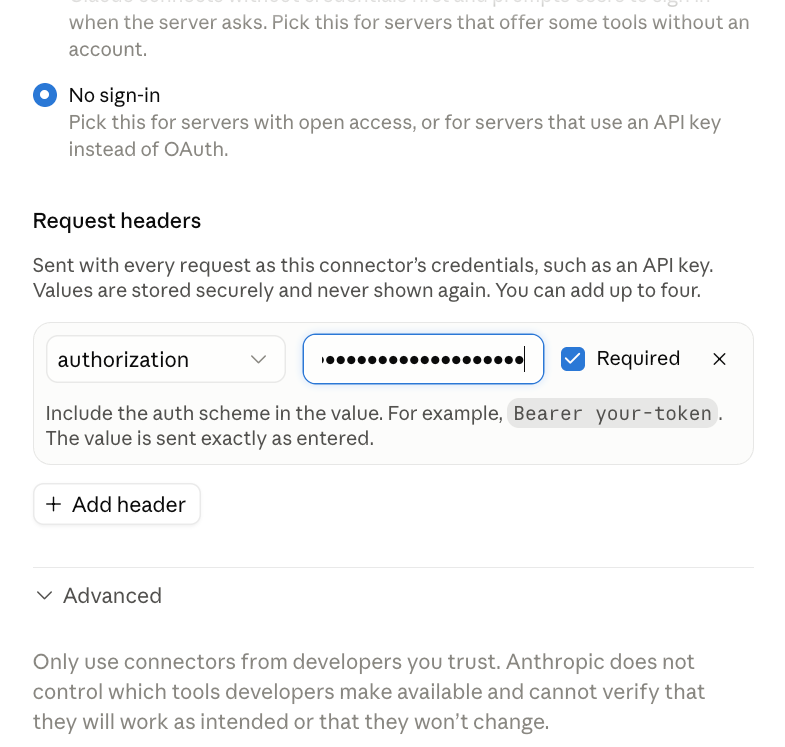
don't change anything on the Advanced settings - it should be set to Streamable HTTP
click Add and if you did everything right, you can now use your ordinary Claude chats to fetch Local Optics data